Organize everyday work
For small and mid-sized builders: estimates, purchasing, daily reports and finance with one shared history.
Explore the plansCONSTRUCTION-NATIVE ERP · FROM THE OFFICE TO THE JOBSITE
Estimates, contracts, jobs, offline daily reports, crews and finance connected on the same base. Management sees the deviation before it becomes a loss.
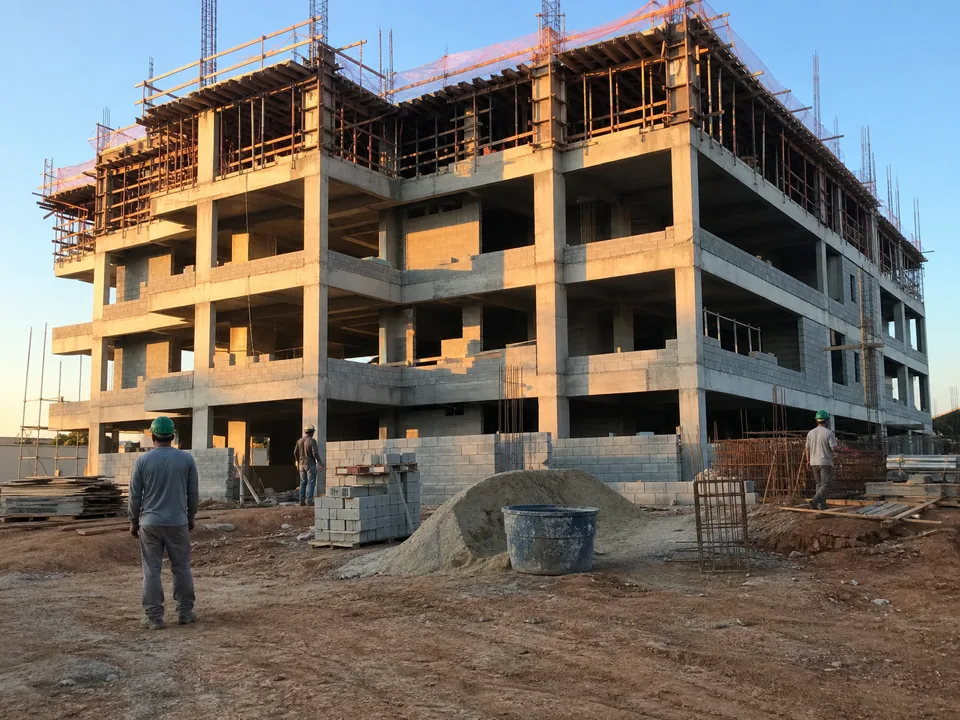
Plan materials and services in the budget.
Demonstrative illustration: from planning to field records and office review. It does not represent a real project or structural design.
For small and mid-sized builders: estimates, purchasing, daily reports and finance with one shared history.
Explore the plansFor larger operations: access roles, allocation across jobs and a consolidated view. Dedicated database with Enterprise.
Discuss my operationREAL PRODUCT · DEMONSTRATION DATA
Explore three product workflows. Real interfaces, with demonstration data.
Structure estimates in a WBS, work with compositions and track costs by stage.
Explore estimates →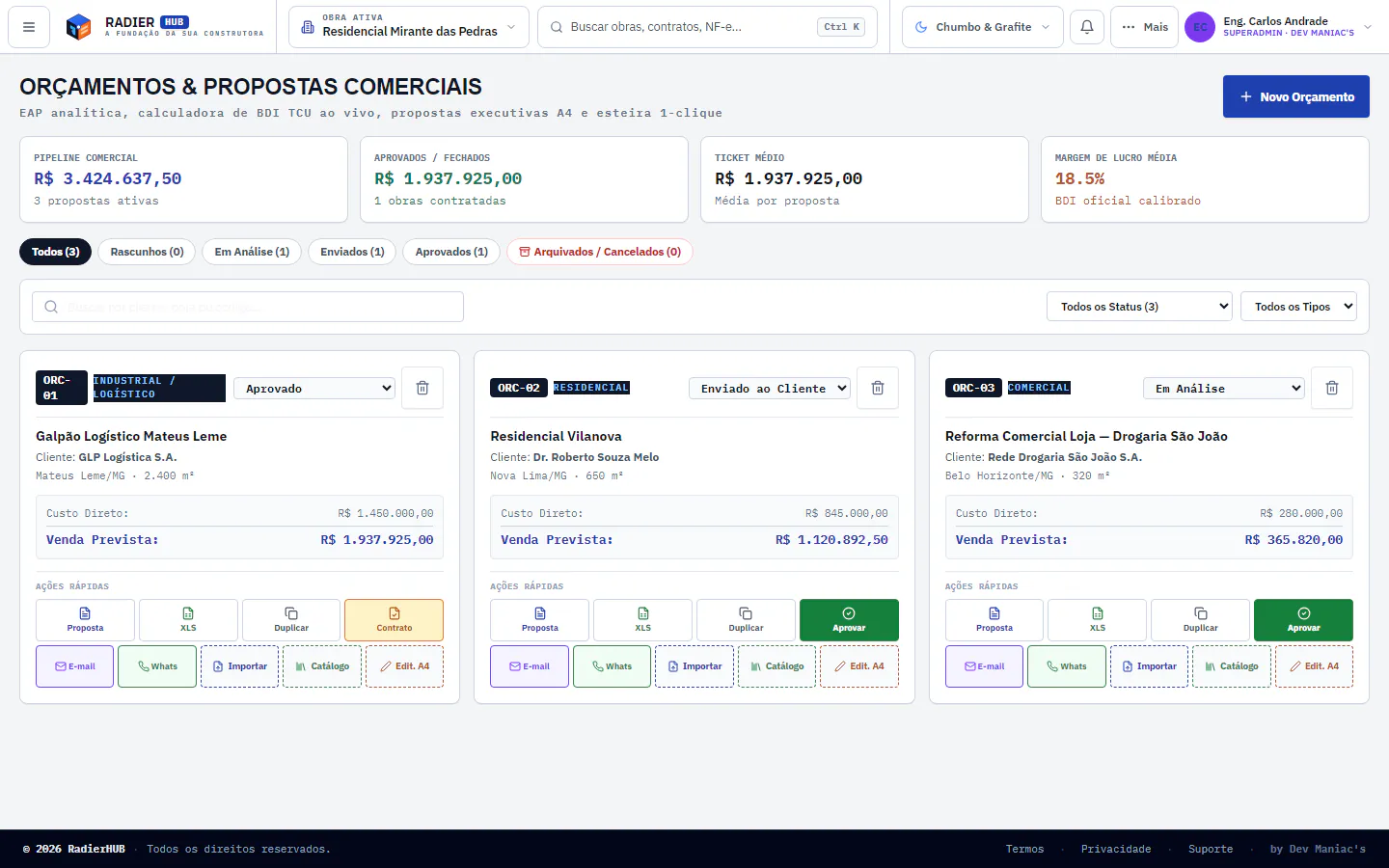
Record crews, weather, photos and occurrences at the jobsite, including offline.
Explore daily reports →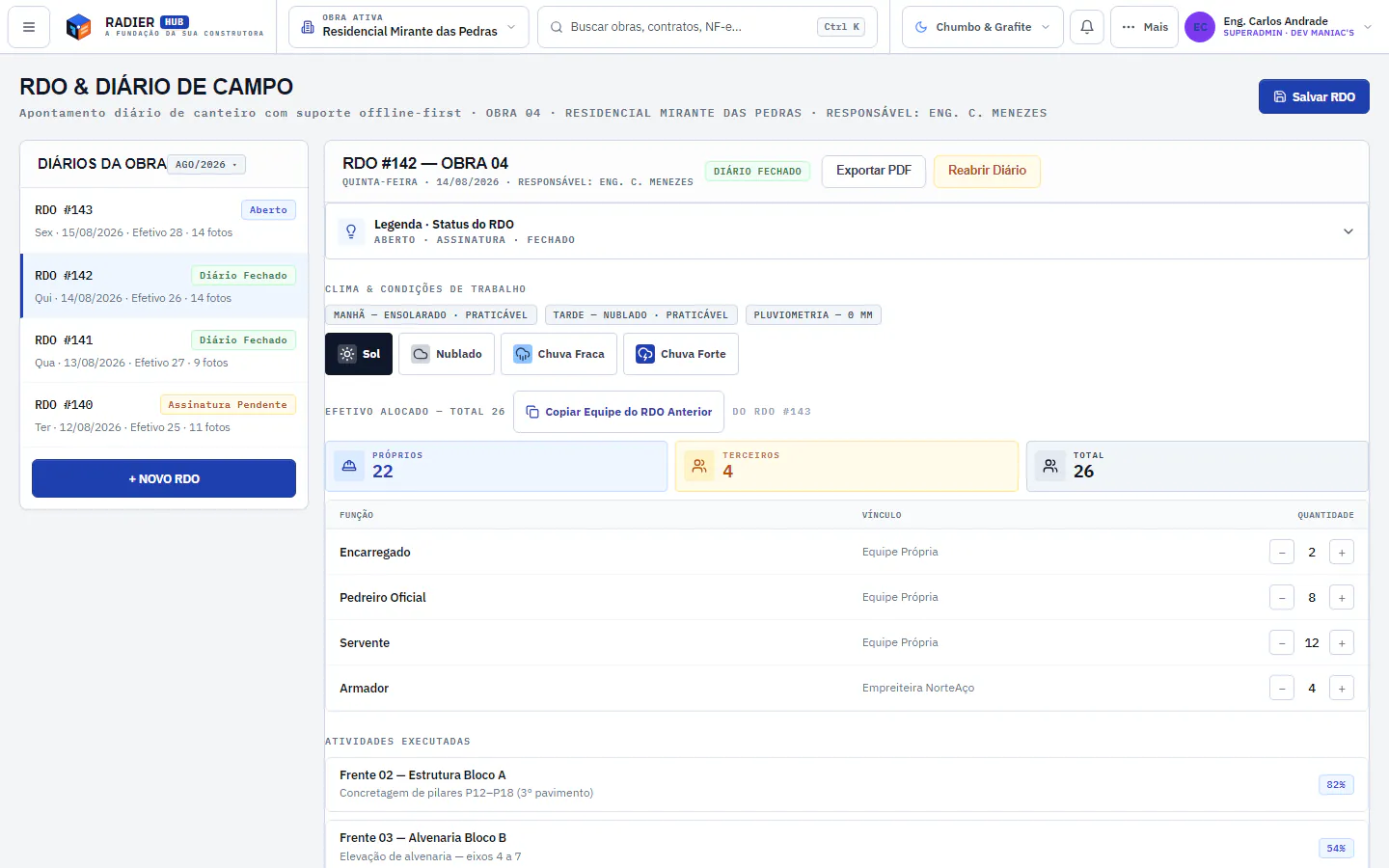
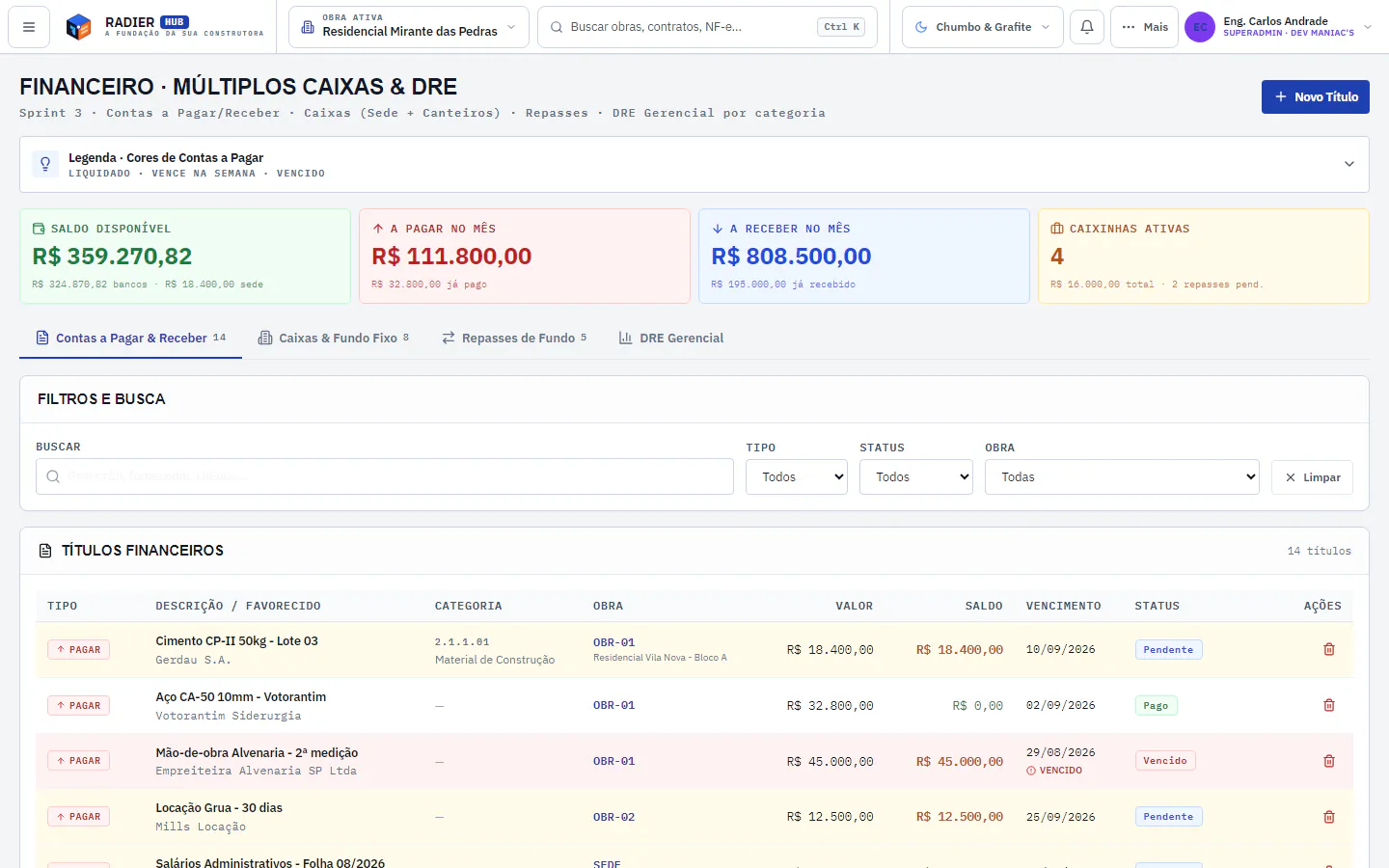
From developers to public works. One operational core, settings per type of operation.
Residential and commercial multi-project. A secure client portal, multi-project cash flow and an income statement per development.
Client Portal · Finance · S-Curve →SINAPI and SICRO compositions, onerous and de-onerized payroll burdens, BDI by the formula of TCU Ruling 2.622/2013.
Estimates · Measurements · Contracts →Service measurement and delivery checks, with the partner given restricted access to their own work front only.
Measurements · Daily Reports · Supply →Dedicated instance, isolated PostgreSQL database, audit records and access roles for multi-project management.
Enterprise · Audit · BI →The jobsite routine cannot depend on loose messages, paper and files that never talk to each other. In RadierHUB, data travels a single axis.
Slab rebar at Block B. Crew, weather and materials in motion.
Daily report filed on the phone, offline. 22 own workers, 4 subcontractors, light rain in the afternoon.
Data reaches management with context to act, before the deviation gets expensive.
The supervisor logs the daily report, headcount, weather, occurrences and photos offline. When the connection returns, the data syncs with the office.
Seven macro stages on the same job. Each stage feeds the next without recreating data in different systems.
Planned vs actual per job, with schedule and cost indicators. One decisive metric, few signals and the consequence.
Consequence: move the Block B concrete pour up to Thursday. Approve measurement #05.
Demonstrative numbers · not claimsFrequently asked questions
Yes. The Daily Construction Report (RDO) workflow is 100% offline-first: the engineer or site foreman logs occurrences, labor, photos and weather on a phone or tablet even with no signal. As soon as the device detects a connection, synchronization with the head office happens automatically in the background.
RadierHUB imports native structured Excel spreadsheets organized as a WBS (EAP) and integrates directly with official price databases such as SINAPI (Caixa) and SICRO (DNIT). The calculation engine applies social charges with and without tax exemption and TCU-standard BDI, producing an ABC curve and a physical-financial schedule without manual rework.
The fiscal pipeline connects to SEFAZ through an A1 digital certificate for automatic monitoring of electronic fiscal documents (DF-e). Invoices issued against the builder's CNPJ are captured, enabling recipient manifesting, direct reconciliation with procurement orders, and automatic allocation by project and cost center.
Multi-tenant architecture with logical isolation and the option of a dedicated database per customer. Each builder operates with encryption at rest and in transit, granular role-based permission control (RBAC) and audit records. No cost, estimate or supplier information ever leaks between builders.
Yes, through a fully shielded and exclusive Client Portal. The buyer or investor follows the physical progress of the project, approved photo reports and official announcements. Internal strategic information — such as unit costs, invoices, supplier contracts and profit margins — is completely invisible to the end customer.
No. RadierHUB is built as a high-performance Progressive Web App (PWA). It runs directly in the browser of any smartphone (Android or iOS) and can be installed to the home screen with a single tap, taking up almost no storage and updating instantly without app store bureaucracy.
Yes. Each builder operates on an exclusive domain or subdomain, with its own logo and customized business rules. To your team, suppliers and end customers, the system presents itself as a corporate platform exclusive to your company.
We put your job spreadsheet running during the demo: estimates, daily reports and finance on the same base.
Cookies and your privacy
We use essential cookies for the site to work and, with your consent, statistics cookies (Google Analytics) to understand how the site is used. You choose — and can change your mind anytime. Privacy Policy.